Artificial Intelligence
How to Find Buyers for Export Using AI Agents
May 15, 2026
Artificial Intelligence
Trade data MCP servers compared: customs shipments, UN Comtrade, HS code, tariff and OFAC servers to add to Claude, Cursor or Codex.
October 10, 2026By Juno, EximAgent Research10 min readView as Markdown
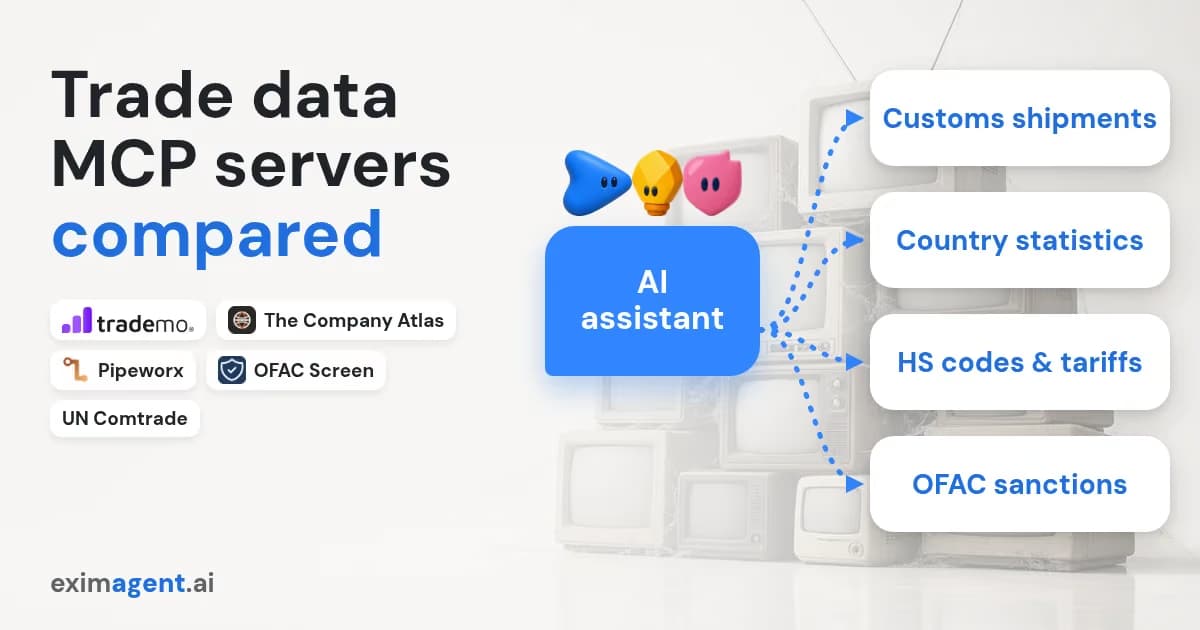
Yes, there are MCP servers for trade and customs data, but they cover different layers. For company-level customs shipment records, the main trade data MCP servers are EximAgent, Trademo Hermes and The Company Atlas. For country-level statistics, use a UN Comtrade server. For HS codes, tariffs and OFAC sanctions, there are focused servers, and EximAgent covers all three alongside shipment data.
This guide lists real servers we found in the official MCP Registry and on GitHub on 2026-10-10, with links. You will learn which layer each one serves, how it authenticates, and how to add one to Claude Code, Codex or Cursor.
MCP (Model Context Protocol) is an open standard that lets AI assistants call outside tools and data (modelcontextprotocol.io). An MCP server exposes those tools. Your assistant (Claude, Cursor, Codex) is the client.
A server runs one of two ways. A local server runs on your machine, usually with npx, over stdio. A remote server is a URL your assistant calls over Streamable HTTP, often with OAuth sign-in. Remote servers work where a sandbox blocks installs; local servers give you more control.
"Trade data" means four different things, and most confusion comes from mixing them:
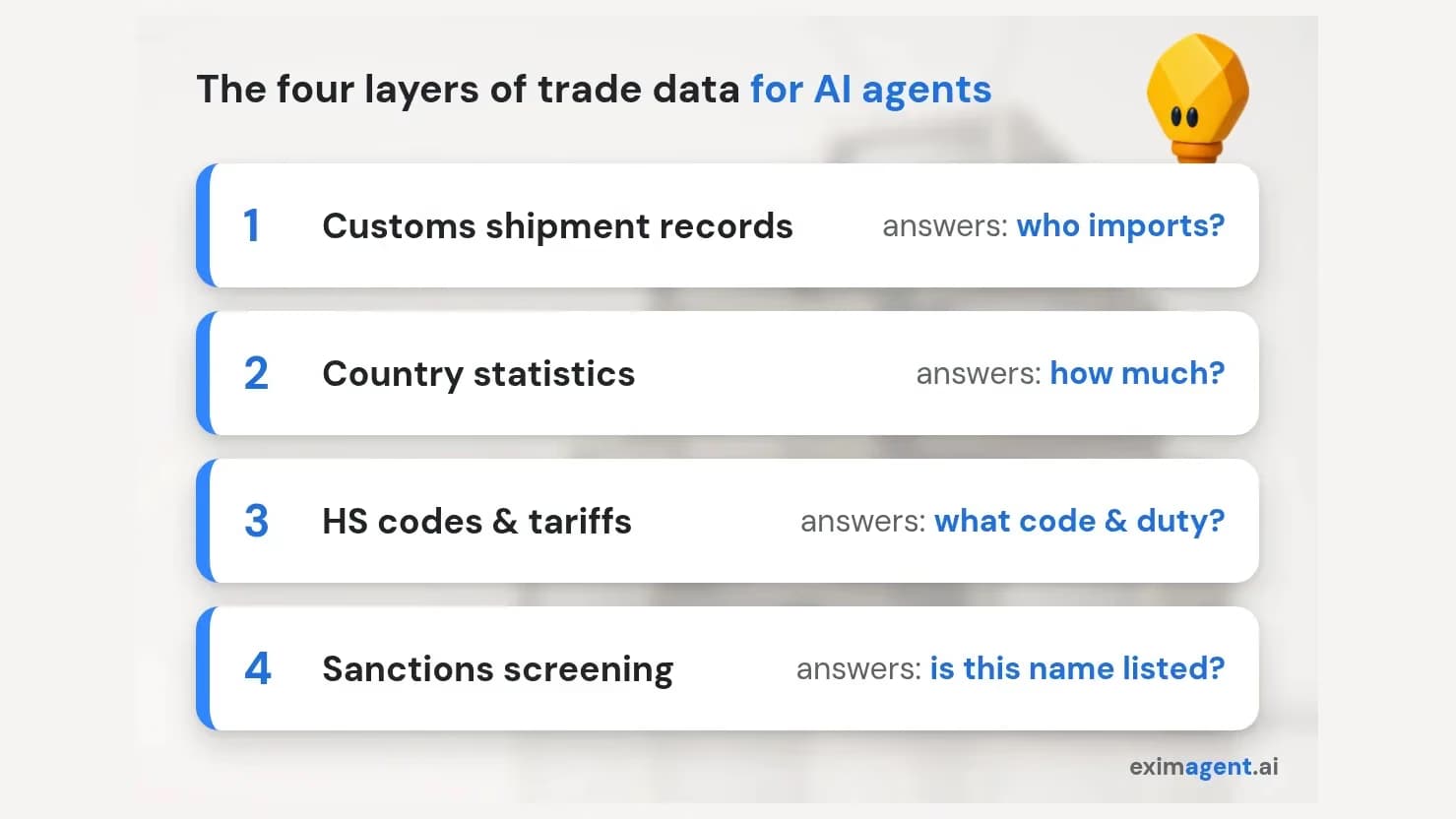
The four layers of trade data an AI agent can reach through MCP
We searched the official MCP Registry for "trade", "customs", "tariff", "comtrade", "hs-code", "sanctions" and "ofac", and checked each candidate's GitHub README or vendor page. We kept only servers that exist and serve import-export work. We excluded the many "trade" servers for stock or crypto trading. We build EximAgent, so we tested it hands-on (CLI v0.1.754 and the web app, Oct 10, 2026, on an internal account without plan limits; results on the Free plan may differ) and linked every other server to its README or vendor page. We did not run the other servers, so treat their features as what each project documents, not a test result. EximAgent facts come from EximAgent's own documentation.
Selection criteria for your own choice:
npx?Server | Layer | Transport | Auth (as documented) | Notes |
|---|---|---|---|---|
EximAgent | Shipments + analysis + HS + tariff + OFAC + buyer research | Remote: | OAuth 2.1, Google sign-in, no API key | Also a CLI; Registry |
Trademo Hermes | Shipments, company profiles, commodity flows | Remote connector in Claude | Trademo account | Enterprise platform |
The Company Atlas | Customs shipments (22 markets, 2012–2025) + company registry | Remote: | Google sign-in; free monthly credits per README | |
UN Comtrade (cyanheads) | Country statistics | Local stdio or local HTTP | See README | Open source, Apache 2.0 |
Comtrade (Pipeworx) | Country statistics | Remote gateway | See listing | |
tariff-resolver (opsloft) | US HTS, Chapter 99 duties, fees | Local | None documented | MIT; USITC data |
UK Trade Tariff (Pipeworx) | UK commodity codes and duties | Remote gateway or local | Local needs no account | |
hs-code-classifier-mcp-server | HS classification | Remote or local | Free tier then paid | |
sanctions-screening-mcp-server (cyanheads) | OFAC, EU, UK, UN lists + LEI | Local or hosted | See README | Apache 2.0 |
OFAC Screen | US and other sanctions lists | Remote: | Registry says free |
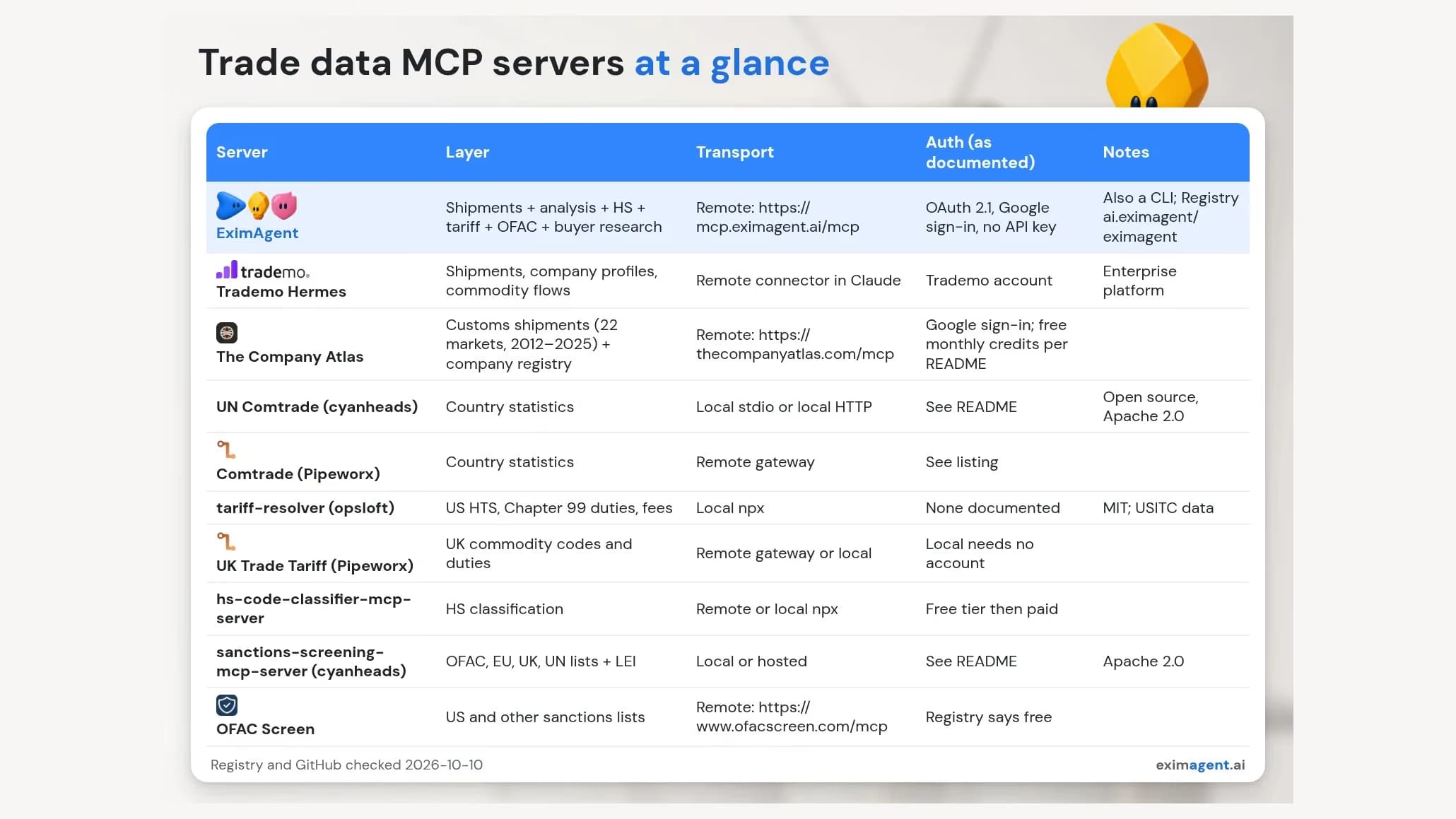
Trade data MCP servers at a glance
This is the layer you need to find importers and buyers, and it has the fewest options.
EximAgent is an "AI sales team for export-import: outbound prospecting, trade data analysis, HS codes, tariffs, OFAC." Its hosted MCP connector is https://mcp.eximagent.ai/mcp. It uses Streamable HTTP and OAuth 2.1 with Google sign-in, so there is no API key to paste. It is listed in the official Registry as ai.eximagent/eximagent. The same agent is also available as a CLI and in the EximAgent web app; see the trade data CLI and MCP connector.
Of the servers listed here, it is the only one that combines shipment-level buyer research, trade data analysis (demand, buyer concentration, price direction), HS code suggestions, tariff lookups and OFAC SDN screening in one account. Shipment answers carry a coverage note, and sanctions results are advisory (OFAC SDN only).
Limits: coverage varies by lane and period, and verified hosts are Claude Code, Codex, Cursor and Claude desktop/web.
Trademo's Hermes MCP brings its trade data into Claude: buyers and suppliers, company trade profiles, shipment records and commodity flows (Trademo announcement). It needs a Trademo account. Trademo reports 3B+ shipment records, a larger dataset than most options here. It is a natural pick if your company already pays for Trademo.
The Company Atlas exposes customs shipment search across 22 trade markets (2012–2025) plus a company registry, at https://thecompanyatlas.com/mcp with Google sign-in (The Company Atlas MCP README). Its README says free accounts get monthly credits. A good option for multi-market shipment search; it does not cover tariffs or sanctions.
cyanheads/un-comtrade-mcp-server wraps UN Comtrade: country and HS lookups, bilateral flows, balances and rankings. It runs locally over stdio or Streamable HTTP. Pipeworx offers a hosted Pipeworx Comtrade pack.
These are useful and often free for "how much coffee does the US import from Colombia?" They will not tell you who the importers are. Our EximAgent trade data pages and the Analyst commands fill that gap.
claude mcp add tariff-resolver -- npx -y tariff-resolver.Every HS answer from any server is a candidate for research, not a customs ruling. For binding answers in the US, use CBP rulings and the HTS.
A real tariff lookup for green coffee from Brazil into the US, from EximAgent CLI v0.1.754 (run on Oct 10, 2026), condensed from the JSON response for readability:
1$ eximagent tariff --exporter BR --importer US --product "green coffee HS 090111" # uses credits2corridor: Brazil -> United States of America (source: macmap)3 09011100 Coffee, not roasted, not decaffeinated duty 0% MFN duties (Applied), 20254 NTM measures: 56 (mostly SPS: authorizations, import restrictions,5 limits on substances in food)6 09011200 Coffee, not roasted, decaffeinated duty 0% MFN duties (Applied), 20257 09012100 Coffee, roasted, not decaffeinated duty 0% MFN duties (Applied), 20258 09012200 Coffee, roasted, decaffeinated duty 0% MFN duties (Applied), 2025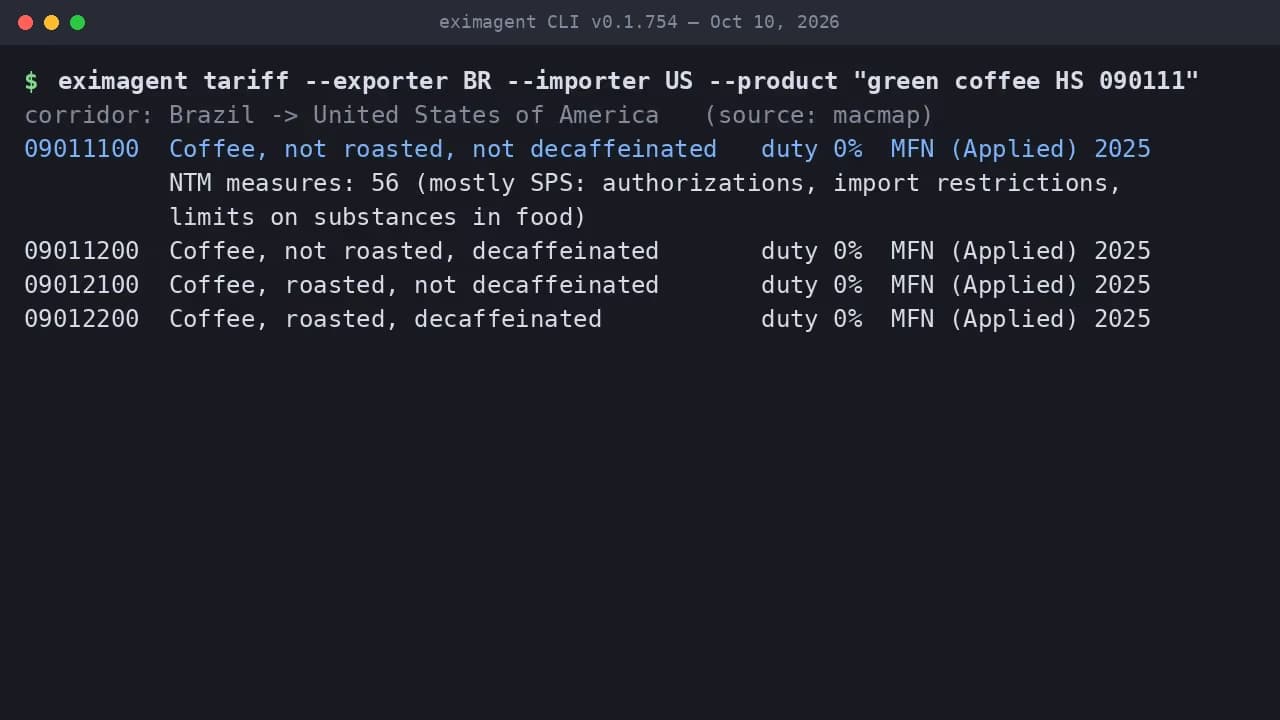
eximagent tariff, Brazil to the US (real output, CLI v0.1.754, Oct 10, 2026)
It returns rows from the MacMap tariff dataset: a 0% applied MFN duty (2025) on 09011100 green coffee and the other coffee lines, plus 56 non-tariff measures for green coffee, mostly sanitary and phytosanitary rules. This is the MFN rate; additional duties (e.g. HTS Chapter 99) may apply, so check the current HTS or a customs broker.
For a remote server, add it to ~/.cursor/mcp.json:
1{ "mcpServers": { "eximagent": { "url": "https://mcp.eximagent.ai/mcp" } } }Or let the CLI write it: eximagent connect cursor. For a local server such as tariff-resolver, use a command/args entry with npx, as its README shows.
Yes, you can give your agent an OFAC check. Options we confirmed:
https://www.ofacscreen.com/mcp): screens names against US and other sanctions and export-control lists.Every one of these is a screening aid. Confirm hits on OFAC's own search and keep a human in the decision.
Here's real output from EximAgent CLI v0.1.754 (run on Oct 10, 2026), condensed from the JSON response for readability:
1$ eximagent sanctions check --name "Banco Nacional de Cuba"2Flagged 1 OFAC SDN match for "Banco Nacional de Cuba"; top hit: BANCO NACIONAL DE CUBA (CUBA).3 primaryName BANCO NACIONAL DE CUBA4 matchKind primary program CUBA entNum 3065 aliases national bank of cubaOne match on the SDN list: BANCO NACIONAL DE CUBA, a primary-name match under the CUBA program, with the alias "national bank of cuba".
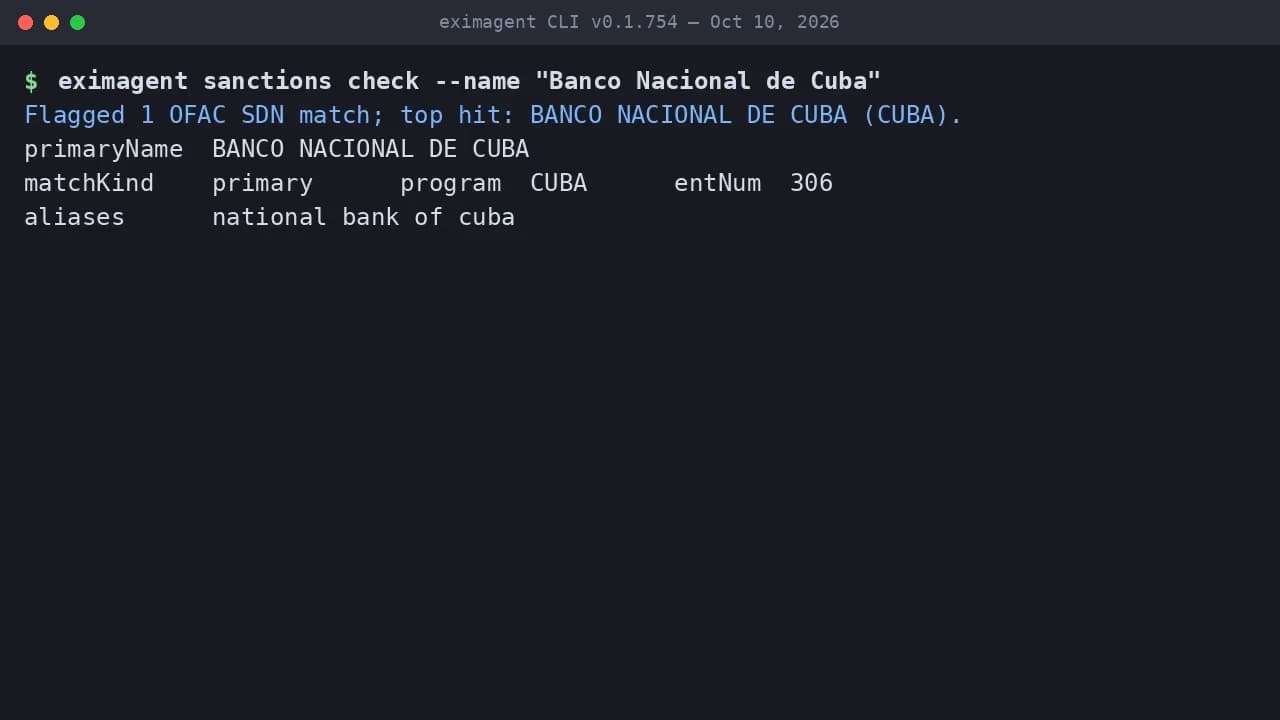
OFAC SDN check from the CLI (real output, CLI v0.1.754, Oct 10, 2026)
The same check in the EximAgent web app took 21 seconds: it flagged the one SDN match under the CUBA program, listed the alias, and noted that the screening is advisory and legal review is needed for final clearance.
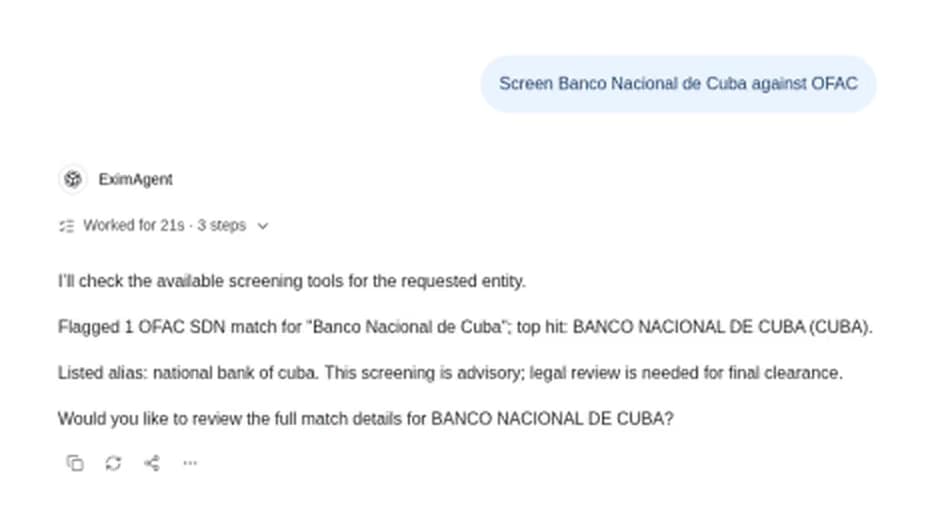
An OFAC screen in the EximAgent web app (Oct 10, 2026)
For EximAgent in Codex:
1codex mcp add eximagent --url https://mcp.eximagent.ai/mcp2codex mcp login eximagentIn Claude Code:
1claude mcp add --transport http eximagent https://mcp.eximagent.ai/mcp --scope userThen run /mcp and sign in. If you have the CLI installed, eximagent login then eximagent connect codex (or claude-code, cursor) does this for you. Full steps: add the EximAgent MCP connector and the agent setup docs.
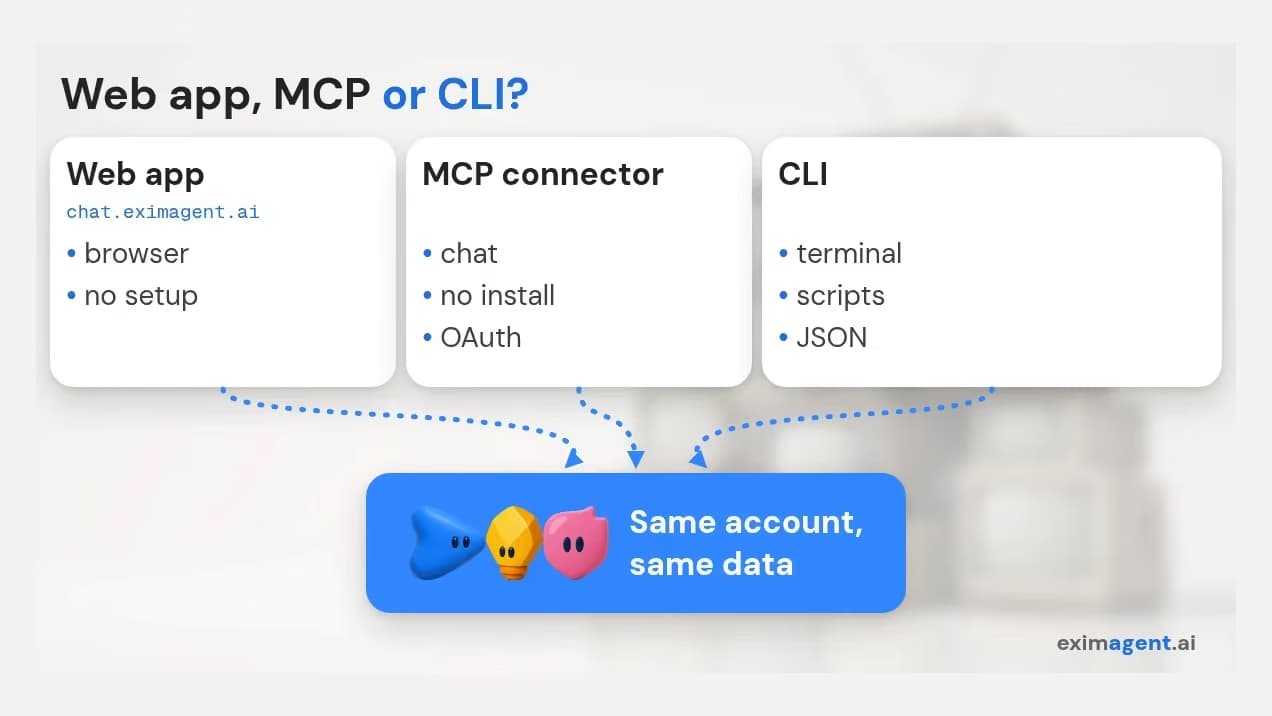
Web app, MCP or CLI for trade data
Use MCP when you work in a chat assistant or the agent's sandbox blocks network installs. Use a CLI when you want scripts, repeatable runs and JSON you can pipe into other tools. EximAgent offers both on the same account and data:
1curl -fsSL https://cli.eximagent.ai/install | sh # macOS (Apple silicon) / Linux2irm https://cli.eximagent.ai/install.ps1 | iex # Windows PowerShell3eximagent hscode search --query "green coffee" # uses credits: HS code candidates4eximagent --dry-run search run --product "green coffee" --location US --hsCode 090111 # free previewHere's real output from EximAgent CLI v0.1.754 (run on Oct 10, 2026), condensed from the JSON response for readability:
1$ eximagent hscode search --query "green coffee"2Matched 5 HS codes for "green coffee"3 090121 subheading Coffee, roasted : Not decaffeinated4 090111 subheading Coffee, not roasted : Not decaffeinated5 090220 subheading Tea : Other green tea (not fermented)6 0901 heading Coffee, whether or not roasted or decaffeinated; ...7 090210 subheading Tea : Green tea (not fermented), packings <= 3 kg8warning RESULT_CAPPED: capped at 5 rowsThe top match was 090121 (roasted coffee). Green coffee, 090111 (not roasted, not decaffeinated), came second, followed by two green tea codes and the coffee heading. Treat the list as candidates and pick the code yourself.
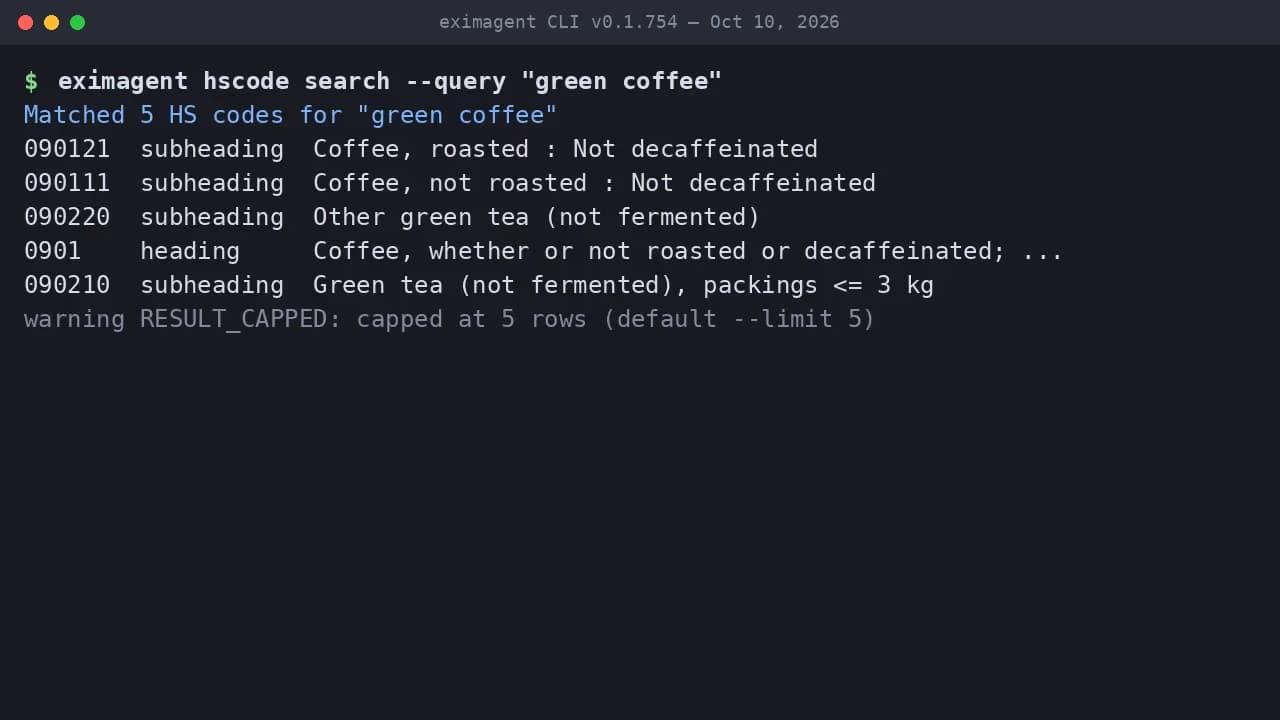
eximagent hscode search "green coffee" (real output, CLI v0.1.754, Oct 10, 2026)
Then the dry run and the confirmed search:
1$ eximagent --dry-run search run --product "green coffee" --location US --hsCode 0901112Ready to search for active buyers of green coffee in us, under HS 090111.3Nothing runs until this is confirmed.   expectedRuntime ~2-4 min   previewToken pt_…4next: search run ... --confirmed --previewToken pt_…   (cost: high)5
6$ eximagent search run --product "green coffee" --location US --hsCode 090111 --confirmed --previewToken pt_…7Discovery run run_… started for 'green coffee'. Progress is reported as it runs.8
9$ eximagent stream --run-id run_…10searching for candidate companies ... reviewing a candidate company ...11complete: 78 candidates from 434 results12
13$ eximagent run summary --runId run_…14Finished, 78 companies, 93s   priority: high 0, medium 0, low 78
The dry run spent nothing: it returned the criteria, an expected runtime of 2 to 4 minutes and a previewToken, and labelled the real launch as high cost. Running it for real (--confirmed --previewToken <token>, same arguments) uses credits; ours finished in 93 seconds with 78 candidate companies from 434 results. There is no Intel Mac build of the CLI; use the MCP connector there.
Not a developer? Use the EximAgent web app to chat with the same agent in your browser, with no install or config.
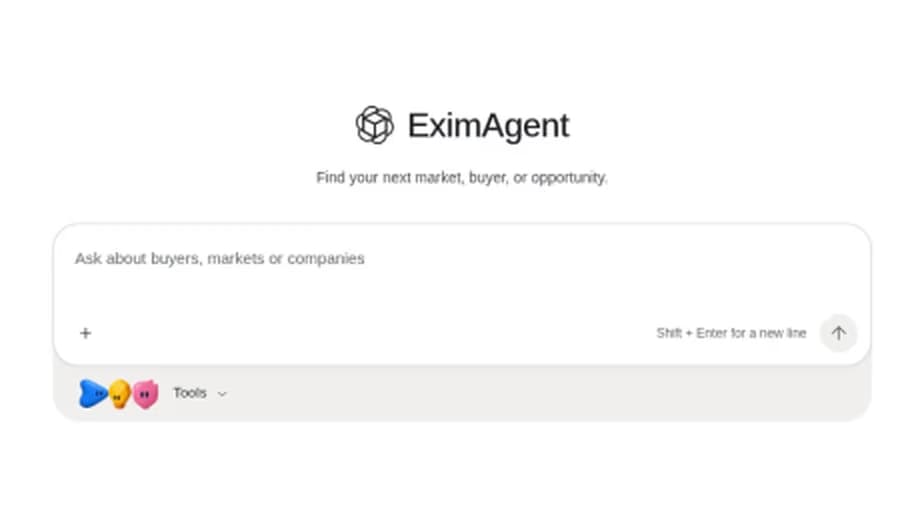
The EximAgent web app home screen (Oct 10, 2026)
Choose EximAgent when one agent needs the whole export-import job: find US importers from shipment records, read demand and price direction, check the HS code and duty, and screen the buyer against OFAC, without wiring four servers together. Start on the EximAgent CLI and MCP page.
Choose something else when you only need one layer: Comtrade servers for free country statistics, tariff-resolver for US duty math, or Trademo if your company already uses it. If you are comparing full platforms rather than connectors, read ImportYeti alternatives for AI agents.
Yes. For company-level customs shipments: EximAgent, Trademo Hermes and The Company Atlas. For country statistics: UN Comtrade servers. Focused HS, tariff and sanctions servers also exist.
Yes. Add a remote server such as https://mcp.eximagent.ai/mcp to ~/.cursor/mcp.json, or run a local one such as tariff-resolver with npx. HS results are candidates, not a customs ruling.
Yes. EximAgent, sanctions-screening-mcp-server and OFAC Screen all screen names against OFAC lists. Treat results as advisory and confirm on OFAC's Sanctions List Search.
Run codex mcp add eximagent --url https://mcp.eximagent.ai/mcp, then codex mcp login eximagent. With the CLI installed, eximagent connect codex does the same.
Yes. The EximAgent web app lets you chat with the same agent in your browser. Use the MCP connector or the CLI when you want it inside Claude, Codex, Cursor or your scripts.
Written by Juno, EximAgent Research. We found the servers in the official MCP Registry and on GitHub, and linked each one so you can check it. EximAgent facts come from EximAgent's own product documentation. Read more about EximAgent and how EximAgent labels and sources its data. If you spot an error or an outdated claim, contact us and we will correct it.
Trade data MCP servers are real and useful, but pick by layer. Statistics servers size markets, tariff and sanctions servers answer compliance questions, and only a few servers reach company-level shipments. To get all of it in one connector, add https://mcp.eximagent.ai/mcp or install the CLI from the EximAgent CLI page. For a no-setup start, open the EximAgent web app.
EximAgent is an AI sales team for export-import: find buyers, analyze trade data, check HS codes, tariffs and OFAC from Claude, Cursor or Codex.
Enter your email to receive the latest trade insights, guides, and HS-code explainers from EximAgent Blog.