Logistics
How to Classify Goods Using HS Codes: 6 Steps
Jun 1, 2025
Artificial Intelligence
Looking up one HS code in a web tool is fine. Checking forty SKUs before a quote, or doing it again every time a tariff changes, is not. This tutorial shows how to classify a product and read its duty from a script or from your AI…
October 27, 2026By Juno, EximAgent Research5 min readView as Markdown
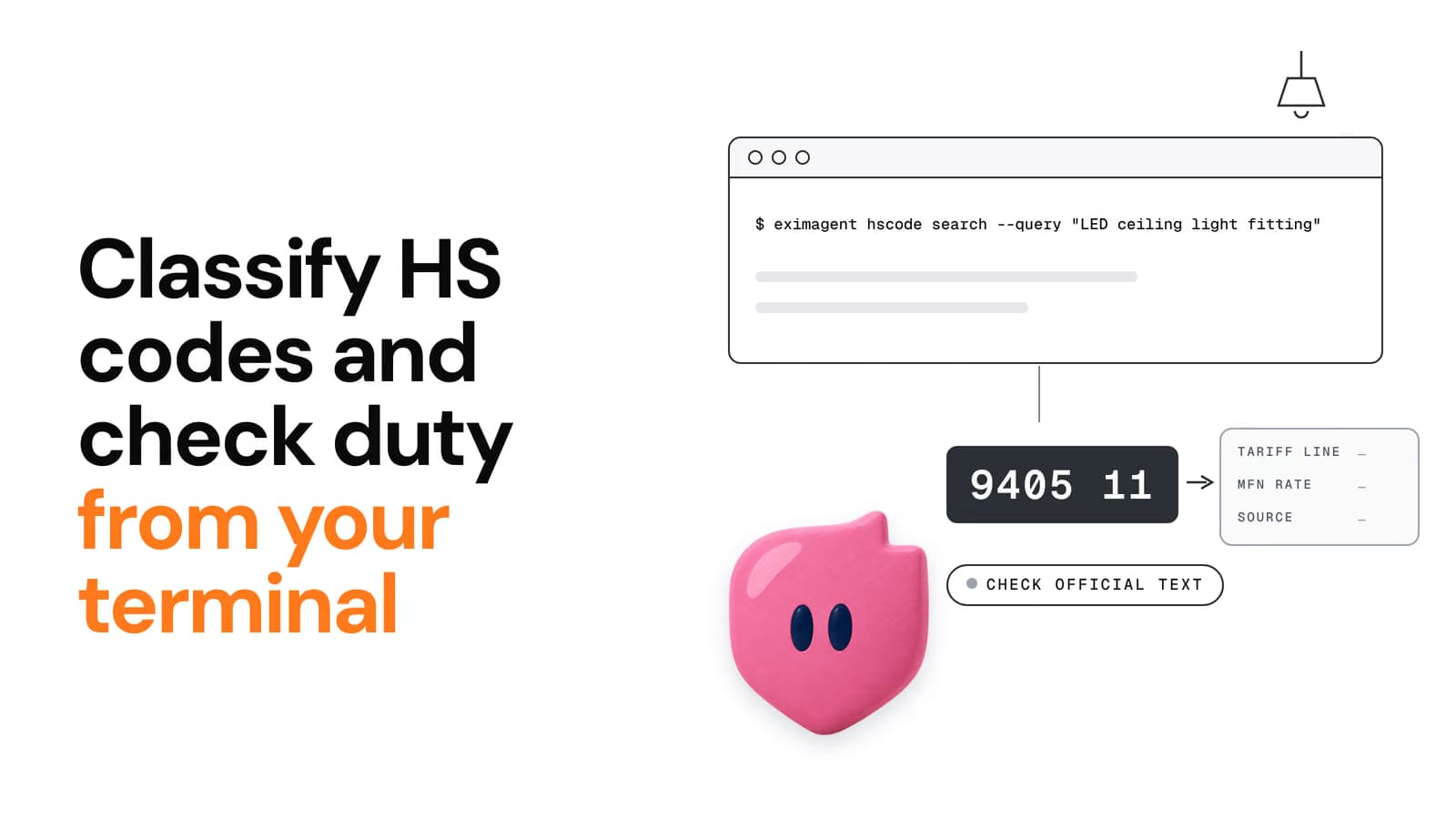
Looking up one HS code in a web tool is fine. Checking forty SKUs before a quote, or doing it again every time a tariff changes, is not. This tutorial shows how to classify a product and read its duty from a script or from your AI agent, using the EximAgent CLI or MCP server. It also covers how to check the answer before you trust it.
Use the results as research. Tariff and classification results are not a customs ruling, so confirm anything high-stakes with a licensed broker or a binding ruling.
Both are free to start. You sign in with Google, so there's no API key to paste.
Install it:
curl -fsSL https://cli.eximagent.ai/install | sh
irm https://cli.eximagent.ai/install.ps1 | iex
Sign in and check your session:
eximagent logineximagent whoamiThe full list of commands is on the commands reference.
The MCP server runs at https://mcp.eximagent.ai/mcp (Streamable HTTP, OAuth sign-in).
claude mcp add --transport http eximagent https://mcp.eximagent.ai/mcp --scope user
codex mcp add eximagent --url https://mcp.eximagent.ai/mcp
eximagent connect all
Setup for each client is covered in the MCP integration docs. If you use a chat app rather than a coding tool, add the connector instead.
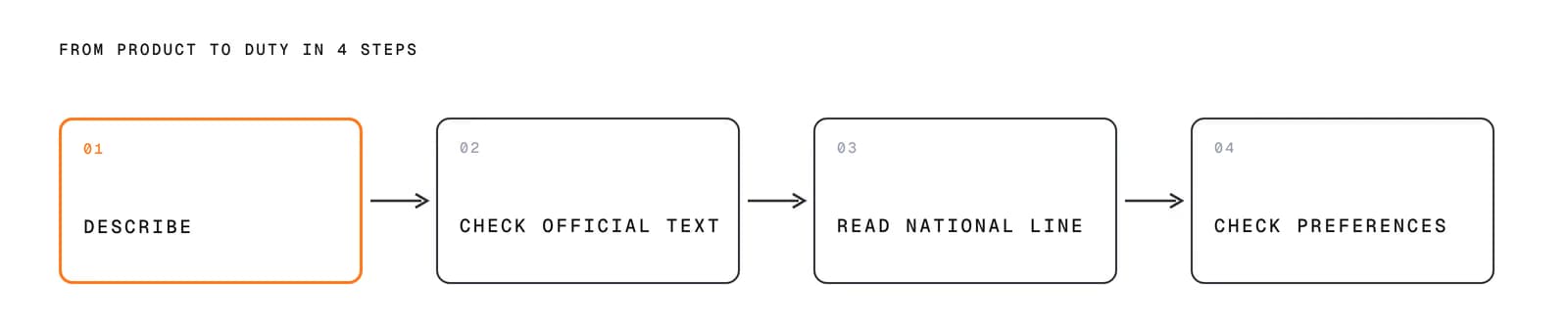
From product to duty in 4 steps: describe, check official text, read the national line, check preferences.
Write the product the way a buyer would describe it, including what it's made of and what it's for. Then search:
eximagent hscode search --query "LED ceiling light fitting"When we ran this on 27 Oct 2026, the top candidates were (exact labels from the response):
HS code | Label (from |
|---|---|
940519 | Chandeliers and other electric ceiling or wall lighting fittings, excluding those of a kind used for lighting public open spaces or thoroughfares : Other |
940511 | Designed for use solely with light-emitting diode (LED) light sources |
940521 | Electric table, desk, bedside or floor-standing luminaires : Designed for use solely with light-emitting diode (LED) light sources |
940542 | Other electric luminaires and lighting fittings : Other, designed for use solely with light-emitting diode (LED) light sources |
940541 | Other electric luminaires and lighting fittings : Photovoltaic, designed for use solely with light-emitting diode (LED) light sources |
In your agent, just ask: "What's the HS code for an LED ceiling light fitting?" The agent calls the same search.
A search ranks candidates. It doesn't choose for you. Open each likely code and read the official description:
You can read the code pages on the HS code lookup (for example 9405). Each page shows what the code covers, what it doesn't, and the official text.
Every answer carries a confidence label: verified, extracted, heuristic or inferred. Treat anything below verified as a lead to confirm, not a fact. See confidence.
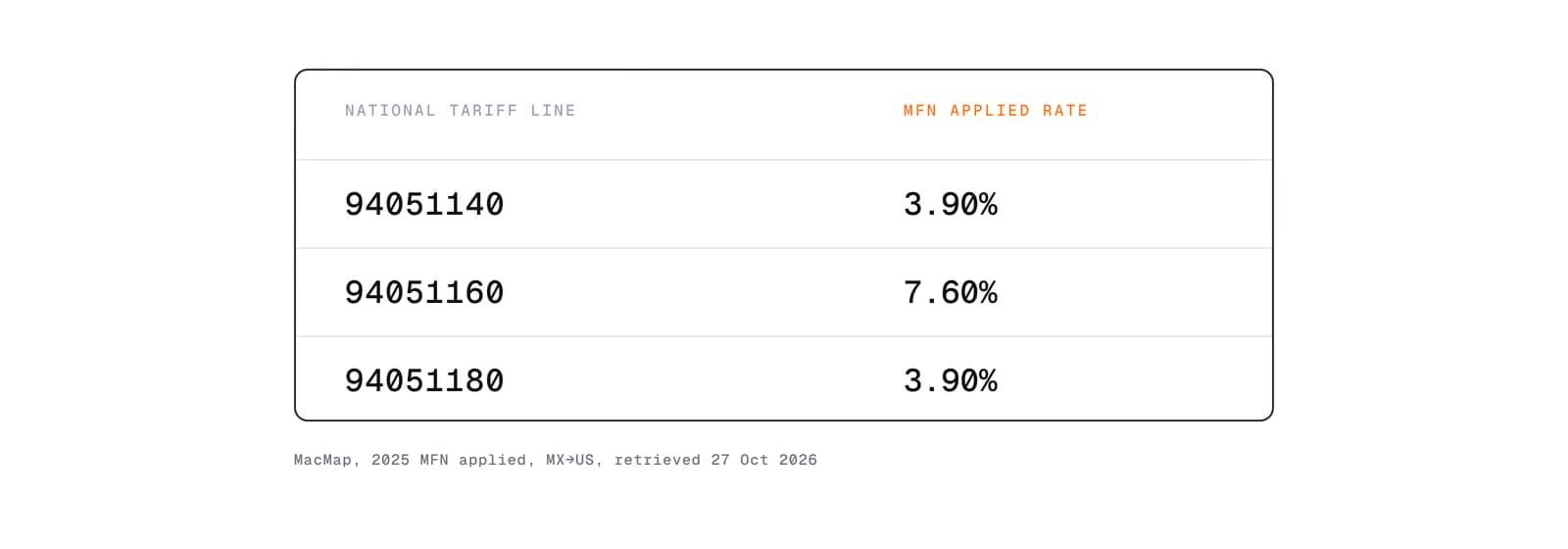
MacMap, 2025 MFN applied, MX→US, retrieved 27 Oct 2026.
Once you have the code, ask for the tariff between the exporting and importing country:
eximagent tariff --exporter MX --importer US --product 940511On 27 Oct 2026 this returned national tariff lines under 940511 from the MacMap source (2025 MFN applied rates):
US tariff line | MFN applied rate |
|---|---|
94051140 | 3.90% |
94051160 | 7.60% |
94051180 | 3.90% |
These are MFN applied rates only. Other duties can still apply on top — for example HTS Chapter 99 provisions and similar extra duties. Confirm the full liability on the official schedule or with a licensed broker before you quote.
The output also listed non-tariff measures (16 for this lane) and flagged trade remedies.
Two things to notice:
eximagent duty fta --exporter MX --importer US --product 940511For the wider picture, eximagent trade lookup --type all returns duties, taxes, remedies and non-tariff measures together, and eximagent landed cost estimates the cost on arrival. How the duty math works is explained in how to calculate import duty.
Because it's a CLI, a product list is just a loop:
while IFS= read -r product; do echo "== $product" eximagent hscode search --query "$product"done < products.txtThen review the candidates and run tariff only for the codes you've confirmed. Don't pipe the top search result straight into a quote. Step 2 is where mistakes get caught.
Can AI classify HS codes accurately?
It can rank strong candidates quickly, especially from a clear product description. Accuracy depends on the description and on someone checking the official text. That's why every result shows its source and a confidence label. Use it to narrow the choice, then confirm.
Is there an API for HS codes and tariffs?
There is no public REST API for HS codes and tariffs. The CLI and the MCP server are the programmatic routes: the CLI for scripts, and the MCP server for AI agents.
Do I need an API key?
No. You sign in with Google through OAuth.
What does it cost?
It's free to start. See pricing.
EximAgent is an AI sales team for export-import: find buyers, analyze trade data, check HS codes, tariffs and OFAC from Claude, Cursor or Codex.
Enter your email to receive the latest trade insights, guides, and HS-code explainers from EximAgent Blog.